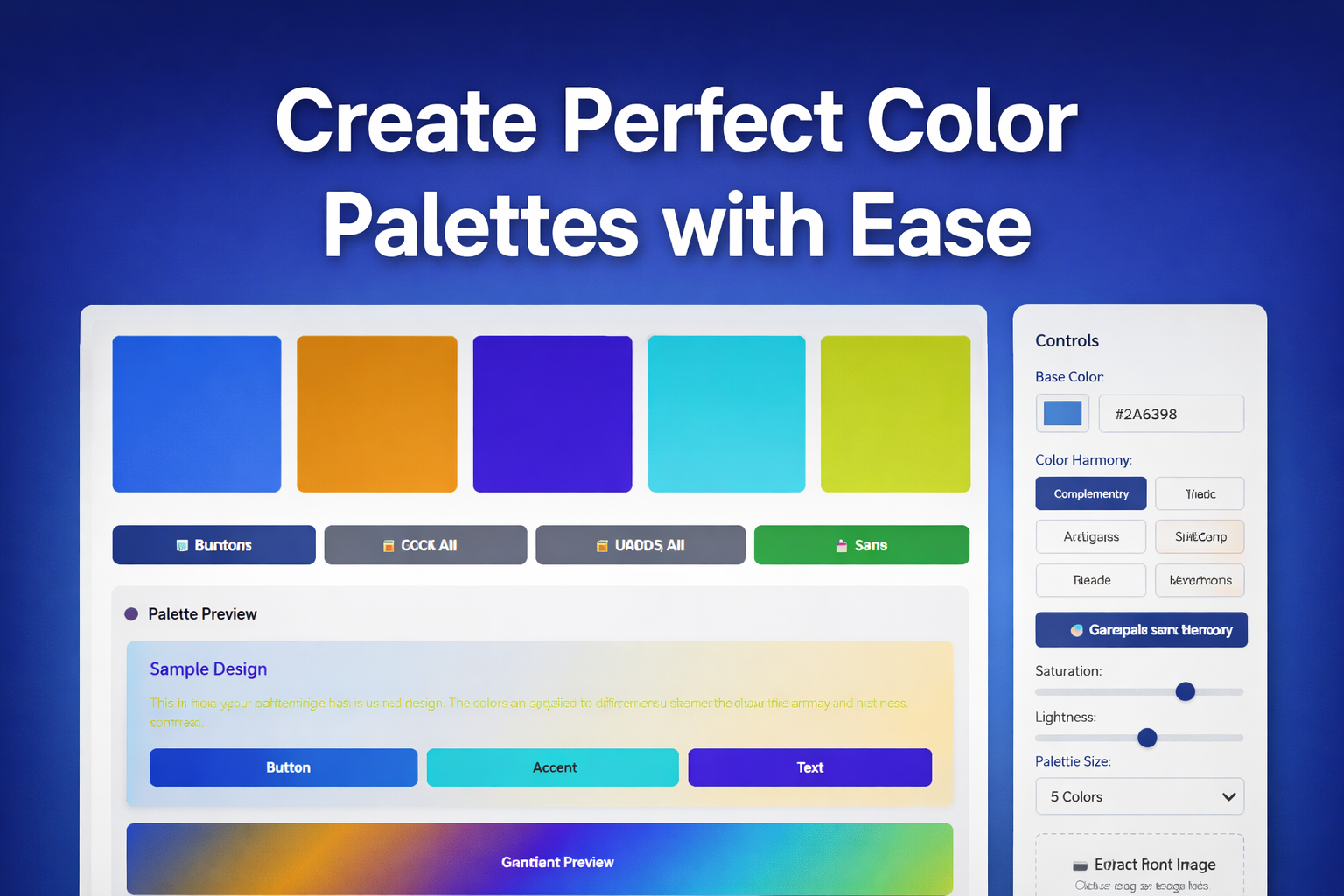
Create Stunning Color Palettes with Free Palette Generator
Table of Contents
- Introduction to Color Palette Generation
- Why Color Palettes Matter for Design
- Impact of Colors on User Experience
- Color Theory and Its Role in Design
- Overview of the Free Color Palette Generator Tool
- Key Features of the Color Palette Generator
- Supported Color Harmonies and Styles
- How to Create a Color Palette with the Generator
- Step 1: Choosing Your Base Color
- Step 2: Selecting the Right Color Harmony
- Step 3: Adjusting the Palette for Customization
- Exporting and Using Your Color Palette
- Available Export Formats
- Using Your Palette in Design Projects
- Benefits of Using a Free Palette Generator
- Conclusion: Enhancing Your Designs with Perfect Color Palettes
- FAQs
Introduction to Color Palette Generation
Creating the perfect color palette can make or break a design project. A well-thought-out color palette not only enhances the aesthetics of a design but also helps convey the right emotions and messages to the audience. Whether you're a seasoned designer or just starting out, tools like the Free Palette Generator make it incredibly easy to generate visually pleasing and harmonious color combinations. This tool can help you build color schemes for everything from web design to marketing materials, ensuring your designs stand out and resonate with your target audience.
In today’s post, we’ll explore how you can use a color palette generator to create stunning designs effortlessly. Whether you’re working on a website, a logo, or a marketing campaign, having the right color palette can elevate your project. Let’s dive into why color palettes matter and how to create one that truly shines.
Key Takeaways
- The Free Palette Generator simplifies the process of creating custom color palettes, ensuring your designs are aesthetically pleasing and functional.
- Understanding color theory and its impact on user experience can enhance your designs, making them more engaging and effective.
- With just a few simple steps, you can create, customize, and export a perfect color palette for your projects.
Why Color Palettes Matter for Design
Colors are more than just a visual element of design; they are a language of their own. A well-chosen color palette can influence how your audience perceives your brand or product. But why do color palettes matter so much?
Impact of Colors on User Experience
Think about the last website you visited or the logo of your favorite brand. Chances are, the colors played a significant role in your perception of that brand. Colors evoke emotions and can guide user behavior. For example, red often signifies urgency or excitement, while blue tends to invoke trust and calmness. By choosing the right colors for your design, you can create an emotional connection with your audience, enhancing their overall user experience.
Color Theory and Its Role in Design
Color theory is the foundation of any good color palette. It’s a set of guidelines that help designers choose complementary, analogous, or contrasting colors that work together harmoniously. Using color theory effectively ensures that the colors in your design are not only visually appealing but also balanced. A good understanding of color harmonies like complementary colors, triadic schemes, and split-complementary schemes can help you create color palettes that are aesthetically pleasing and functional.
Overview of the Free Color Palette Generator Tool
The Free Color Palette Generator tool is an easy-to-use online platform that helps you generate beautiful, professional-grade color palettes in just a few clicks. It’s designed for both beginners and experienced designers who want to streamline their workflow and ensure that their color choices are always spot-on.
Key Features of the Color Palette Generator
The tool offers a variety of features to help you create the perfect color scheme. You can start with a base color and the tool will suggest complementary colors, or you can explore different color harmonies based on your design needs. One of the standout features is the ability to customize the palette by adjusting the colors' saturation, brightness, and contrast. This gives you full control over the final look of your palette.
Supported Color Harmonies and Styles
The tool supports several color harmonies such as complementary, analogous, and triadic, which are great for achieving different effects in your design. Whether you’re looking for a bold, high-contrast palette or a more subtle, soothing one, the tool can help you generate the perfect combination.
How to Create a Color Palette with the Generator
Creating a color palette with the Free Palette Generator is simple and straightforward. Let’s walk through the basic steps to get you started.
Step 1: Choosing Your Base Color
The first step is to select your base color. This is the color that will serve as the foundation for your palette. You can either pick a color from the generator’s color picker or input a hex code if you already have a specific color in mind. The base color sets the tone for the entire palette, so it’s important to choose one that reflects your design's mood.
Step 2: Selecting the Right Color Harmony
Once you have your base color, the next step is to choose a color harmony. The tool will give you several options, such as complementary (colors opposite each other on the color wheel), analogous (colors next to each other), or triadic (three equally spaced colors). This step is crucial because the harmony you choose will determine how the colors work together visually.
Step 3: Adjusting the Palette for Customization
After selecting your colors, the next step is to adjust them to suit your needs. You can fine-tune the saturation, brightness, and other aspects of each color in the palette. This allows you to create a custom color palette that is perfectly tailored to your design.
Exporting and Using Your Color Palette
Once you’ve created your color palette, it’s time to put it to use!
Available Export Formats
The Free Palette Generator lets you export your palette in several useful formats, including PNG, JPEG, and SVG. You can also download the palette in code formats like CSS, SCSS, and JSON, making it easy to integrate the palette into your website or app development project.
Using Your Palette in Design Projects
Once downloaded, you can easily implement your color palette into various design projects. Whether it’s for a website, a logo, or marketing materials, your palette will ensure your designs are cohesive and visually appealing.
Benefits of Using a Free Palette Generator
There are numerous benefits to using the Free Palette Generator. It saves time by allowing you to create color palettes online without the need for professional design software. It also gives you access to a variety of color schemes and helps ensure your palettes are both visually appealing and functional. Plus, it’s free making it an affordable option for both amateurs and professionals.
Conclusion: Enhancing Your Designs with Perfect Color Palettes
In conclusion, the Free Palette Generator is an invaluable tool for anyone looking to enhance their designs with perfect color palettes. By understanding the importance of color in design and using the right color harmonies, you can create visually stunning and emotionally engaging designs. So why not start today and elevate your design projects with the right color palette?
Generate Your Color Palette Now!
FAQs
1. What is a color palette generator?
A color palette generator is a tool that helps you create harmonious color combinations for your design projects.
2. How do I choose the right base color for my palette?
Your base color should reflect the mood and message of your design. It’s the starting point for the rest of the colors in your palette.
3. Can I customize my color palette after creating it?
Yes, you can adjust the brightness, saturation, and other properties of each color in your palette.
4. What are color harmonies?
Color harmonies are color combinations that are visually appealing, such as complementary, analogous, and triadic.
5. Can I use this tool for website design?
Yes, you can easily export your color palette in CSS or other code formats for web development.
6. What export formats are available?
You can export your palette in PNG, JPEG, SVG, CSS, SCSS, and JSON formats.
7. Are there any limitations to the tool?
The tool is free and has no significant limitations, but advanced features may require other design software.
8. Can I use the tool for branding?
Absolutely! The color palette generator is perfect for creating custom brand color schemes.
9. Is the tool suitable for beginners?
Yes, it’s user-friendly and ideal for both beginners and experienced designers.
10. How can I apply my color palette to a logo?
Once you’ve downloaded your palette, you can easily integrate it into your logo design using graphic design software.