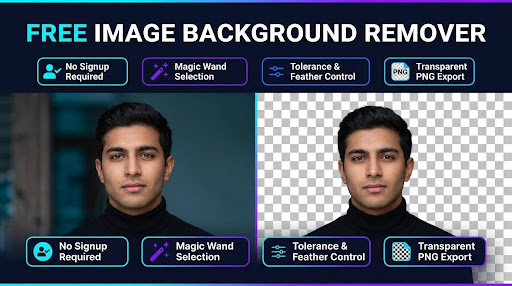
Free Online Image Background Remover: Cut Out Backgrounds Fast
Have you ever spent hours carefully tracing around a photo, trying to cut out an annoying backdrop? We have all been there staring at a screen, wrestling with complicated design software just to isolate a simple product photo or headshot. It feels like trying to perform delicate surgery with a pair of rusty garden shears!
Fortunately, you do not need an expensive graphic design degree or subscription software to get crisp, professional results. Our free online background remover lets you isolate subjects and clean up photos in a matter of seconds directly inside your web browser. Let us take a tour of how you can strip away unwanted backdrops and elevate your visual content effortlessly.
What Is the FreeWWW Image Background Remover?
I designed the FreeWWW image background remover to serve as a fast, frictionless solution for anyone who needs to remove background from image files without administrative hassle. Whether you are prepping product listings for an online store or making a fun meme, this tool lives inside your web browser, ready to work the second you load the page.
Think of this app as your personal digital workbench. Instead of forcing you through tedious login screens or payment gateways, this online photo background editor provides instant interactive editing tools right at your fingertips. You get desktop-class editing features paired with the convenience of a modern web application.

When building a high-performing web application, convenience is only half the battle; precision is what really matters. Our tool combines smart automated selection modes with granular manual controls, transforming it into a versatile transparent PNG converter that handles everything from solid studio backdrops to complex outdoor scenes.
Whether you need a quick automated pass or pixel-by-pixel accuracy, the app equips you with flexible tools designed to adapt to your specific photo. Let us break down the core features that give you complete artistic control over your cutouts.
Smart Auto-Remove Tools: Color Remove & Magic Wand
The automated engine features two powerful color-matching modes designed to eliminate backdrops in a single click. The Color Remove tool acts like a smart flood fill—click on any unwanted section, and it instantly clears away connected areas of the same shade. It is ideal for taking out backdrop sections nestled between subjects.
When you are dealing with scattered background colors, the magic wand background eraser takes over. Instead of stopping at boundaries, it scans the entire canvas and removes matching pixel shades everywhere at once. It functions as a transparent image maker free of charge, saving you dozens of repetitive clicks.
Manual Precision Editing: Eraser & Restore Brushes
Automated algorithms are fantastic, but what happens when a background shade blends directly into your subject's clothing? That is where our manual brush set shines. As a comprehensive photo cutout tool browser app, it lets you switch fluidly to a manual eraser to scrub away tricky lingering spots.
Accidentally erased a portion of your subject's arm or jacket? Don't panic! Simply toggle the Restore Brush to paint original pixels back onto the canvas. This dual-brush setup gives you complete peace of mind, ensuring you can make the image background transparent without losing critical details.
Fine-Tuning Controls: Tolerance & Edge Feathering
Photo lighting is rarely perfectly uniform, which is why static cutouts often leave jagged or discolored halos. Our built-in color tolerance background remover slider solves this by letting you adjust how aggressively the auto-tools target similar color shades. Bump up the tolerance for varying gradients, or lower it to protect tight contrast lines.
To give your subject a polished finish, utilize the edge feathering image tool. Feathering gently softens hard cutout borders, blending harsh pixel boundaries into smooth transitions. This subtle touch makes your isolated subjects look naturally integrated whenever you drop them onto a new backdrop.
Supported File Formats and Upload Limits
Versatility starts with broad file compatibility. Our editor supports all standard web image formats, including PNG, JPG, JPEG, and even animated or static GIF files up to 10MB in size. This generous ceiling accommodates high-resolution camera captures and crisp smartphone photography without requiring pre-compression.
Because it operates as a free cutout generator and no download application, your image processing takes place locally within your web browser environment. You do not have to worry about long queue times or uploading heavy raw files to distant third-party servers.
How to Remove Image Backgrounds Step-by-Step
Transforming an ordinary image into a clean cutout is a smooth, straightforward workflow. You do not need technical expertise just follow these simple steps to isolate your subject in seconds.
To better understand how web-based graphics processing works, you can explore the open-source web standards documentation on the MDN Web Docs Canvas API.
Step 1: Upload Your Image File
Getting started takes less than two seconds. Simply open our free online background remover page and drag your photo directly into the drop zone, or click the upload area to select a file from your device.
As soon as your file opens, it loads into an interactive canvas window equipped with real-time zoom, pan, and view controls. This responsive layout makes navigating complex images an absolute breeze.
Step 2: Select and Apply Removal Tools
With your image displayed on the canvas, select your preferred strategy. For solid or uniform backdrops, pick the magic wand background eraser and click anywhere on the unwanted color area to clear it instantly across the photo.
If your photo features a complex background with varied lighting, adjust the color tolerance background remover slider slightly upward before clicking. Watch as large swatches of backdrop disappear instantly, revealing the underlying transparency grid.
Step 3: Refine Edges and Preview
Once the bulk of the background is cleared, zoom in to inspect your subject's edges. Switch to the manual eraser brush to tidy up stray pixels, or use the restore brush to bring back any over erased details.
Next, activate the edge feathering image tool to smooth out crisp outlines. You can toggle customizable preview background colors such as solid white, dark gray, or a checkerboard grid to verify that your subject looks completely clean against any backdrop color.
Step 4: Download Your Transparent PNG
Satisfied with your clean cutout? Hit the export button to instantly download your edited work. The app functions as a dedicated transparent PNG converter, locking in full alpha channel transparency.
Your newly saved graphic is immediately ready to be pasted into marketing materials, web layouts, video thumbnails, or social media graphics without any lingering border artifacts.
Why Choose a Browser-Based Tool Over Complex Software?
Traditional photo editing software can be overwhelming. Heavy desktop suites demand steep subscription costs, gigabytes of storage space, and endless learning curves just to accomplish everyday tasks. Why fire up heavy software when all you need is a quick cutout?
Using a free cutout generator and no download app gives you agility. You can jump on any computer whether a work laptop or a borrowed tablet, open your browser, and finish your edit in seconds. For fundamental creative tasks, clean browser utility beats bloated desktop software every single time.
Best Practices for Getting Clean Cutouts Every Time
To achieve pristine results, start with high-contrast images whenever possible. When your subject stands out distinctly from its backdrop, auto-selection tools can identify boundaries with pinpoint accuracy.
Don't forget to take advantage of keyboard shortcuts to speed up your editing workflow! Utilize <Ctrl+Z> to undo mistakes, <Ctrl+Y> to redo actions, and the bracket keys ([ and ]) to resize your manual brushes on the fly. Combining these shortcuts with edge feathering guarantees professional cutouts on every attempt.
For deeper insights into how digital graphic formats handle transparency layers, check out the comprehensive overview on W3C PNG Specification Standard.
Conclusion
Removing backdrops from your images does not have to be a frustrating, time-consuming chore. With the right browser tools, you can transform complex photos into versatile transparent assets in just a few clicks. Our web app places powerful auto removal tools, fine-tuned brush controls, and edge-smoothing features right inside your browser completely free, with zero signups or downloads required.

Frequently Asked Questions (FAQs)
1. Is this free online background remover completely free to use?
Yes, 100%! You can use our free online background remover as many times as you like without paying fees, signing up for subscriptions, or registering an account.
2. How does a transparent PNG converter preserve background transparency?
A transparent PNG converter saves your image with an alpha channel layer. Instead of filling empty areas with solid white or black pixels, it retains true void space so your subject can overlay seamlessly onto any new background.
3. Can I use this online photo background editor on my mobile phone?
Absolutely. Our online photo background editor is fully responsive and functions smoothly inside modern mobile web browsers on smartphones and tablets.
4. What makes a magic wand background eraser different from a regular eraser?
A standard brush erases only the pixels directly under your cursor. A magic wand background eraser scans the photo and automatically erases matching color shades across the image instantly.
5. Why should I use a transparent image maker free tool instead of installing software?
A transparent image maker free web app saves system storage space, eliminates costly software subscriptions, and lets you edit photos immediately from any device with an internet connection.
6. How do I fix rough edges when I make the image background transparent?
When you make the image background transparent, enable the edge feathering feature and tweak your tolerance settings to blend hard pixel transitions smoothly.
7. Will using a photo cutout tool browser app reduce my original image quality?
No. Our photo cutout tool browser app processes your image at full resolution locally in your browser, maintaining crisp subject quality upon export.
8. How does adjusting the color tolerance background remover slider help?
The color tolerance background remover setting determines how strictly the tool matches colors. Higher tolerance removes broader shade variations, while lower tolerance keeps edits tightly targeted.
9. When should I apply the edge feathering image tool?
Apply the edge feathering image tool right after clearing the main backdrop. It softens harsh vector-like edges, making your cutout look natural over new graphics.
10. What are the benefits of a free cutout generator and no download web application?
A free cutout generator no download application provides instant usability, complete data privacy by editing locally, and total freedom from tedious software installations or account signups.
