Free Safety and Emergency Tools: Complete Guide
Introduction
Emergencies rarely send invitations. A storm, fire, power outage, evacuation, or medical incident can disrupt an ordinary day within minutes. I believe preparation works like a seat belt: you hope you never need it, but you will be grateful it is there when something goes wrong.
The free safety and emergency tools from FreeWWW help you organize essential information before pressure takes over. Instead of searching through scattered notes, you can create contact cards, emergency kits, evacuation plans, first aid lists, and supply estimates in one browser-based suite.
Key Takeaways
What Are Free Safety and Emergency Tools?
Free safety planning tools are online resources that help people organize contacts, supplies, evacuation procedures, and first aid items. They turn a large, stressful task into smaller steps that are easier to complete.
Good online emergency planning tools do more than provide general advice. They help you produce practical documents, such as a contact card, disaster readiness checklist, or printable evacuation plan that you can use during a real emergency.
Why Is Emergency Preparedness Important?

Preparing Before an Emergency Happens
Start by identifying the emergencies most likely to affect your location. These may include fires, floods, earthquakes, hurricanes, severe weather, extended power failures, or local evacuation orders.
You can review the official Ready.gov emergency supply kit guidance when building your plan. Local authorities may provide additional instructions for hazards specific to your community.
Protecting Your Family, Pets, and Workplace
Effective family emergency planning should include children, older adults, people with disabilities, caregivers, and pets. Consider medication, mobility assistance, dietary requirements, transportation, and communication needs.
Businesses should also develop workplace safety planning procedures. Employees need clear exit routes, meeting locations, emergency numbers, and responsibilities rather than vague instructions posted on a forgotten noticeboard.
What Is the FreeWWW Safety and Emergency Tool Suite?
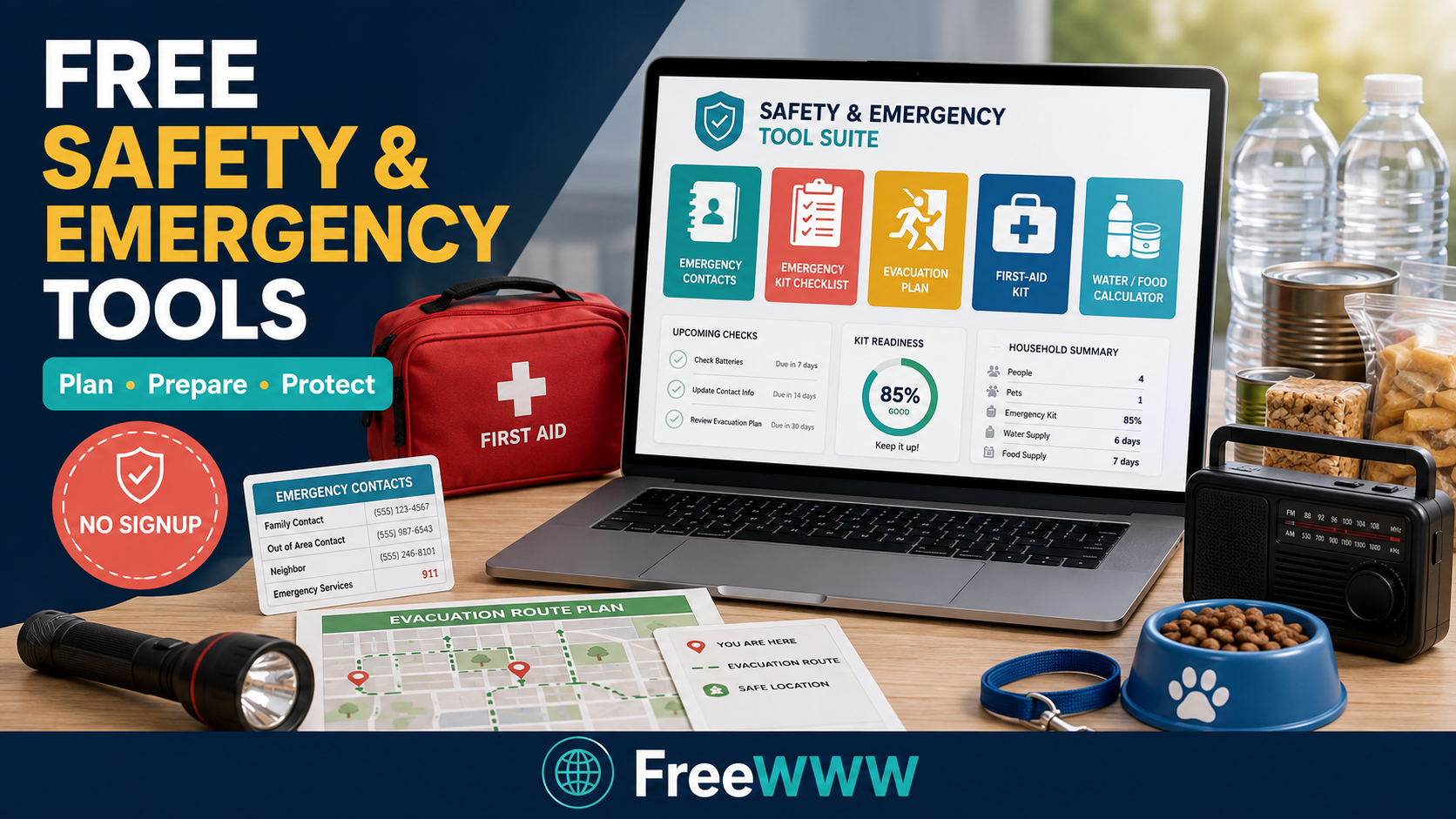
The FreeWWW Safety and Emergency Tool Suite combines five disaster preparedness tools in one free application. It includes an emergency contact card creator, emergency kit checklist, evacuation plan creator, first aid kit builder, and food and water supply calculator.
Five Emergency Planning Tools in One Suite
Each tool solves a different preparedness problem. You can create an emergency contact card, track supplies for several locations, document exit routes, customize first aid items, and estimate emergency food and water.
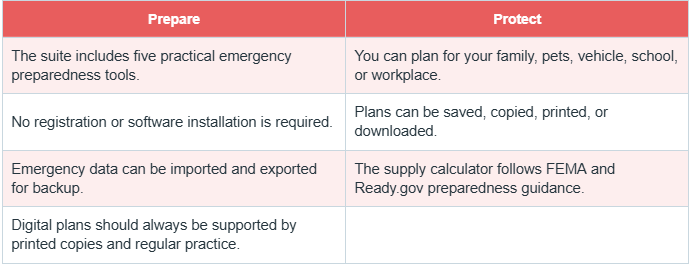
The suite also lets you save progress, copy information, print reports, and download completed plans. That makes it easier to keep copies in your home, vehicle, workplace, or emergency bag.
Private Browser Storage and No-Signup Access
These no-signup safety tools work without requiring an account. Your saved information stays in local browser storage on the device you use.

Emergency Contact Card Creator
An emergency contact card creator organizes the names, phone numbers, and other details you may need quickly. Include household members, trusted relatives, doctors, schools, employers, local emergency services, and insurance contacts where appropriate.
Why You Need an Out-of-Area Contact
An out-of-area emergency contact can act as a communication bridge if local networks become busy. Family members may find it easier to reach someone outside the affected region.
Choose a dependable person who understands the role. Make sure every household member has the person’s number and knows when to contact them.

The built-in emergency kit checklist includes separate planning options for home, car, and workplace supplies. This prevents the common mistake of preparing one kit and assuming it will be available everywhere.
Home, Car, and Workplace Kits
A home kit may contain water, nonperishable food, lighting, communication equipment, hygiene products, medication, and important documents. A car emergency kit checklist may emphasize visibility, warmth, tools, water, and roadside supplies.
A workplace emergency kit checklist should reflect the environment and the number of people present. The completion tracker helps you see what is ready and what still needs attention.
Evacuation Plan Creator
The evacuation plan creator helps you record building information, primary and secondary exits, meeting locations, special considerations, and emergency phone numbers. You can use it to make a family evacuation plan or document office evacuation procedures.
Routes, Meeting Points, and Special Needs
Plan at least two safe exit routes whenever possible. Your emergency meeting point should be familiar, accessible, and far enough away from immediate danger.
Account for children, older adults, disabilities, pets, medication, and transportation. Practice the plan at least twice a year so it becomes a familiar routine rather than an unread document.
First Aid Kit Builder
The first aid kit builder offers basic, comprehensive, travel, and workplace options. You can check completed items, add custom supplies, save progress, and generate a report.
A customized first aid kit checklist helps you avoid buying random products without considering actual needs. For professional first aid guidance, consult the American Red Cross emergency preparedness resources.
Emergency Water and Food Supply Calculator
The emergency supply calculator estimates food and water requirements using the number of people, pets, and planned days. It supports three-day, seven-day, two-week, and extended planning periods.
How Much Emergency Water Should You Store?
The tool references FEMA emergency water guidelines, including roughly one gallon or 3.8 liters of water per person per day for drinking and sanitation. Requirements may rise in hot climates or during strenuous activity.
The emergency food supply calculator also helps estimate stored food. Results are planning estimates, so adjust them for health needs, local guidance, climate, and household circumstances.
How to Use the Safety and Emergency Tool Suite
Choose one tool and enter the requested information. Generate the plan, review every detail, and correct outdated or incomplete entries.
Save your work, then copy, print, or download the result. Finally, import and export emergency data so you have a backup that can be restored later.

These browser-based safety tools store information locally instead of requiring an online profile. This makes emergency preparedness without signup quick and convenient.

Who Should Use These Emergency Preparedness Tools?
Families can prepare contacts, supplies, and evacuation instructions. Schools, offices, small businesses, travelers, vehicle owners, caregivers, and pet owners can also customize the tools for their circumstances.
The suite is especially useful for beginners who want to prepare for natural disasters online without installing software or starting from an empty document.
Benefits and Limitations of Digital Emergency Tools
The main benefits are convenience, structured planning, customization, progress tracking, and printable results. These personal emergency readiness tools make preparation feel manageable.

Tips for Keeping Your Emergency Plans Updated
Review contacts every six months and whenever someone changes a phone number, address, school, workplace, or medical provider. Replace expired food, water, batteries, medication, and first aid products.
Practice evacuation plans twice a year and after major household changes. Keep printed copies in accessible locations and export updated backups of your digital plans.
Conclusion: Start Preparing for Emergencies Today
You do not need to prepare for everything in one afternoon. Begin with one contact card or one emergency kit, then build gradually.

Frequently Asked Questions
1. Are the safety and emergency tools free?
Answer: Yes. The FreeWWW suite is available as a free safety and emergency tools collection.
2. Do I need to create an account?
Answer: No. You can use the tools without registration or login.
3. Where is my emergency information stored?
Answer: Saved information is stored locally in your browser on the device you use.
4. Can I print or download my plans?
Answer: Yes. The suite includes options to copy, print, and download emergency safety checklists and plans.
5. Can I import and export my safety data?
Answer: Yes. You can export a backup and import compatible data into the suite later.
6. How often should I update my emergency kit?
Answer: Review it every six months and replace expired, damaged, missing, or seasonally inappropriate items.
7. How much water should I store per person?
Answer: A common starting point is one gallon or 3.8 liters per person daily, but climate and health needs may increase it.
8. Can I calculate emergency supplies for pets?
Answer: Yes. The calculator includes pets when estimating emergency water and food requirements.
9. What should a family evacuation plan include?
Answer: Include exit routes, meeting points, emergency contacts, transportation, pets, medication, and assistance requirements.
10. Can these tools replace professional emergency advice?
Answer: No. They support planning but do not replace instructions from emergency services, medical professionals, FEMA, the Red Cross, or local authorities.