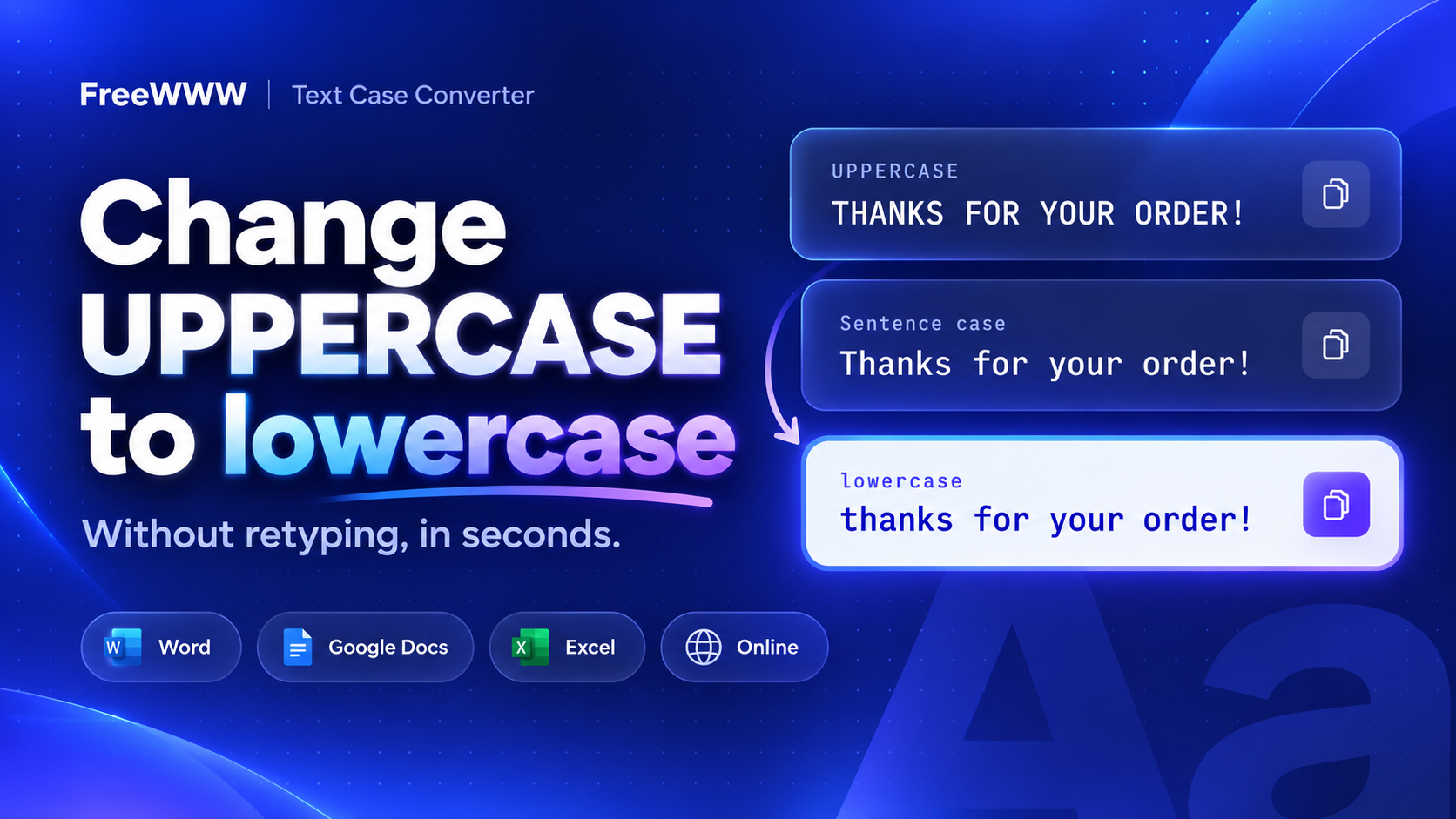
How to Change Uppercase to Lowercase Without Retyping
Did you type a whole paragraph with Caps Lock on? Or did someone send you a file in all caps? You don't need to type it again. You can change uppercase to lowercase in a few seconds with a shortcut, a menu, a formula or a free online case converter. Here are the easy steps for every app you use.
Quick Answer
To change uppercase to lowercase without retyping, paste your text into the free FreeWWW Text Case Converter and click lowercase. In Microsoft Word, select the text and press Shift + F3. In Google Docs, go to Format > Text > Capitalization > lowercase. In Excel or Google Sheets, type =LOWER(A2).
How to Convert Uppercase to Lowercase Online (Works in Any App)
The easiest way to change all caps to lowercase in any app is a free uppercase-to-lowercase converter. It works in any browser, and you don't need an account.
1. Open the FreeWWW Text Case Converter.
2. Paste your text into the Input Text box.
3. Click lowercase. If you typed with Caps Lock on, click Sentence case instead.
4. Click Copy Output and paste the text where you need it.
This online case changer also does UPPERCASE, Title Case, and iNVERSE cASE, plus find and replace.
One catch: you get plain text back, so bold, italics and links are lost. To keep them, use your app's own tool below.
Is your text in a photo? Copy it out first with the FreeWWW OCR Converter. Then paste it into the capital-to-lowercase converter.
How to Change Uppercase to Lowercase in Microsoft Word
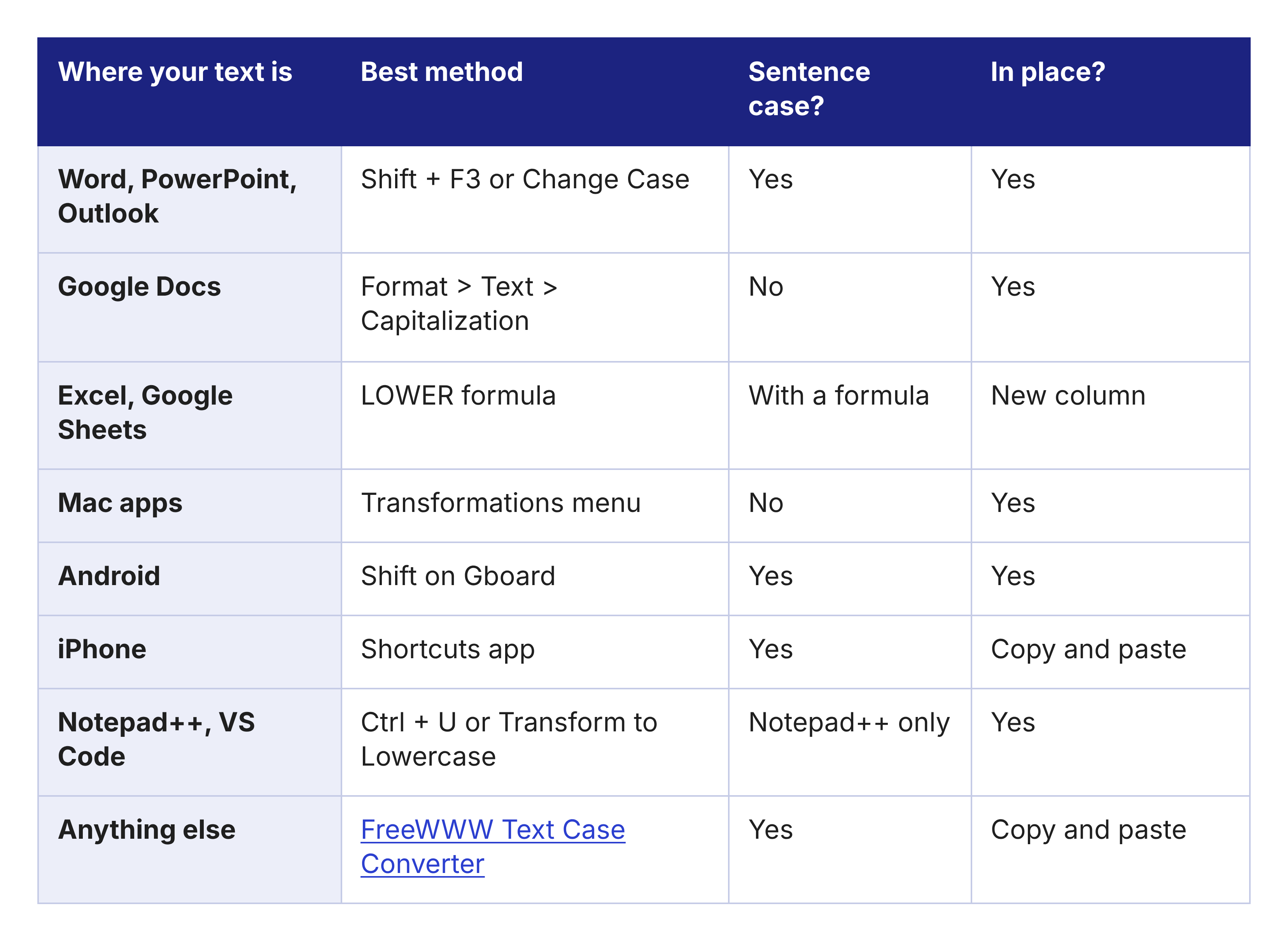
Select the text and press Shift + F3. Each press switches between lowercase, UPPERCASE and Capitalize Each Word (Microsoft Support). The same shortcut works in PowerPoint (How-To Geek) and Outlook (Microsoft Support).
Or use the Change Case button:
1. Select the text.
2. On the Home tab, click Change Case (the Aa icon).
3. Pick lowercase or Sentence case.
The same menu also has tOGGLE cASE, which flips every letter.
On a Mac, the button works the same way. If Shift + F3 does nothing, hold Fn too. On Macs and many laptops, the F keys control volume or brightness.
How to Change Capital Letters to Small Letters in Google Docs
Google Docs capitalization tools are in the Format menu (Google Workspace Updates).
1. Select the text. Press Ctrl + A to select everything.
2. Go to Format > Text > Capitalization.
3. Click lowercase.
This menu has no sentence case and no keyboard shortcut. For sentence case, use the online text case converter and paste the text back.
How to Convert Text to Lowercase in Excel and Google Sheets
Excel and Google Sheets use a formula. The Excel LOWER function, =LOWER(A2), makes every capital letter in cell A2 small (Microsoft Support). The Google Sheets LOWER formula works the same way.
1. In an empty column, type =LOWER(A2).
2. Drag the formula down the column.
3. Copy the results and paste them over the old data with Paste Special > Values.
No formula? In Excel, type the first result by hand in the next column and press Ctrl + E. Flash Fill does the rest (Computer Hope).
Need sentence case? Excel and Sheets have no sentence case function. This formula makes only the first letter capital: =UPPER(LEFT(A2,1))&LOWER(MID(A2,2,LEN(A2))). It works best with one sentence per cell.
=UPPER() makes all letters capital, and =PROPER("JOHN SMITH") gives you John Smith.
How to Change All Caps to Lowercase on Mac, Android and iPhone
Mac: Select the text, right-click and choose Transformations > Make Lower Case. This works in TextEdit, Mail and many other Apple apps.
Android: Select the text and tap Shift on Gboard. Each tap switches between Sentence case, ALL CAPS and lowercase (Computerworld).
iPhone: The keyboard cannot change case, but Apple's free Shortcuts app can. Make a shortcut with Get Clipboard, Change Case and Copy to Clipboard (Matthew Cassinelli). Or paste your text into the FreeWWW Text Case Converter in Safari.
How to Change Case in Notepad++ and VS Code
• Notepad++: Select the text and press Ctrl + U for lowercase or Ctrl + Shift + U for uppercase (Computer Hope). For sentence case, go to Edit > Convert Case to > Sentence case.
• VS Code: Press Ctrl + Shift + P, then run Transform to Lowercase (Bobby Hadz).
Need camelCase, snake_case or kebab-case for code? The FreeWWW Text Case Converter has all three. To clean up JSON or other data, try the FreeWWW Data Formatter.
Fix Names and Acronyms After You Convert
When you change uppercase to lowercase, no tool can tell a name from a normal word. "MEET JOHN AT NASA" becomes "Meet john at nasa." Every method here does this.
1. Note every name, brand and acronym in the text.
2. Open Find and Replace with Ctrl + H in Word or Google Docs, or use the one in the FreeWWW converter.
3. Replace each one, like nasa → NASA. In Word, tick Find whole words only so "nasal" stays the same
Why Convert All Caps to Normal Text?
All caps can look like shouting. RFC 1855, an early guide to good manners online, says: "UPPER CASE LOOKS AS IF YOU'RE SHOUTING." Keep all caps for short labels and acronyms like PDF.
Frequently Asked Questions
How do I undo text typed with caps lock on?
Change it to sentence case, then check names and acronyms. Paste it into the FreeWWW Text Case Converter and click Sentence case to fix it in seconds.
Is there a keyboard shortcut to change case?
Yes. Press Shift + F3 in Word, PowerPoint and Outlook, or Ctrl + U in Notepad++. See Microsoft's guide for every Word option.
Why doesn't Shift + F3 work?
Select the text first, and hold Fn on a Mac or laptop. Shift + F3 works in Word, PowerPoint and Outlook, but not in Google Docs.
Will changing case remove my formatting?
Not with the built-in tools in Word, PowerPoint or Google Docs. An online converter returns plain text, so bold, italics and links are lost when you paste it back.
Can I change uppercase to lowercase on my phone?
Yes. On Android, select the text and tap Shift on Gboard (Computerworld). On iPhone, use the Shortcuts app or an online case converter.
How do I change case in PowerPoint?
Select the text and press Shift + F3, or click Change Case (the Aa icon) on the Home tab. How-To Geek walks through each option.
What is sentence case?
Only the first letter of each sentence is capital. Converters can't spot names, so fix those by hand.
What is title case?
Most words start with a capital letter, like in a headline. The FreeWWW Text Case Converter turns any text into Title Case in one click.
What is toggle case?
Every letter flips, so "Hello" becomes "hELLO". Word calls it tOGGLE cASE. The FreeWWW converter calls it iNVERSE cASE.
Is the FreeWWW Text Case Converter free?
Yes. It is free, and you don't need to sign up. Open the converter and paste your text to start.
Final Thoughts
You never need to retype text to change uppercase to lowercase.
Ready to fix your text? Paste it into the FreeWWW Text Case Converter and click lowercase. For more free tools, visit FreeWWW.