How to Generate an .htaccess File for Free (Step by Step)
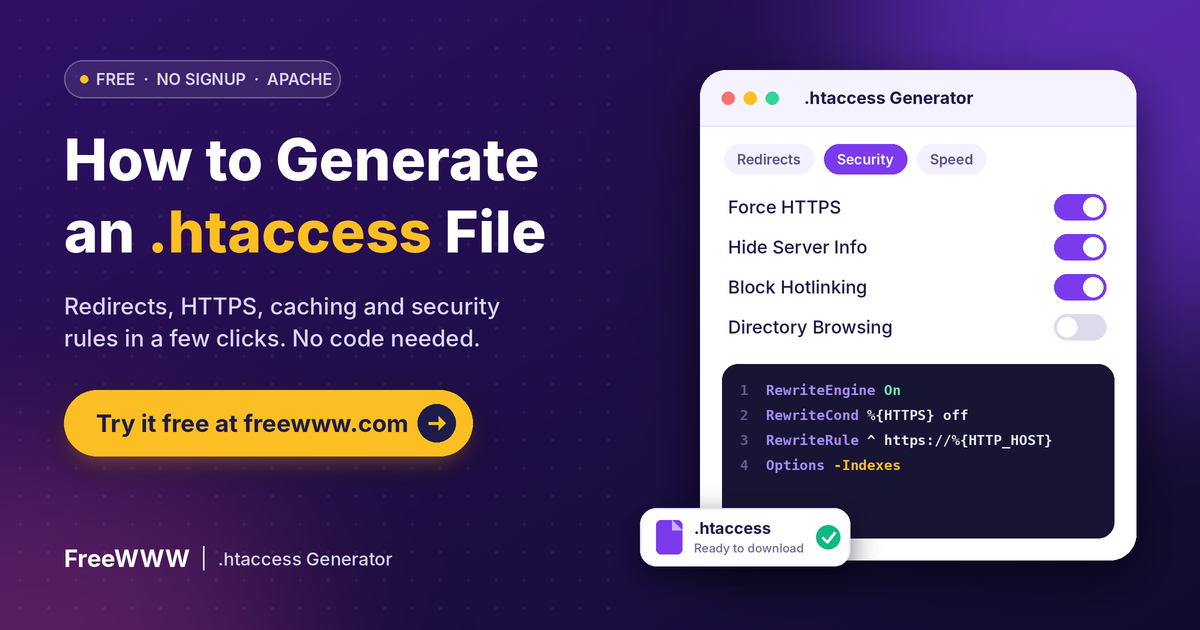
This guide shows you how to generate an .htaccess file without writing code. You pick the rules you want, and the tool writes them for you. Then you upload one small file to your site.
Quick Answer
To generate an .htaccess file, open the FreeWWW .htaccess Generator. Choose your rules, like redirects, HTTPS or caching. Click each “Apply” or “Add” button. Then copy or download the code. Save it as .htaccess in your site’s root folder. Test your site right away.
Key Takeaways
• An .htaccess file changes Apache settings for one folder and its subfolders.
• The FreeWWW generator covers redirects, security, speed, rewrites, access and error pages.
• Use a 301 redirect for permanent moves and a 302 for short-term ones.
• Always back up your old file before you upload a new one.
• The file only works on Apache servers that allow it.
What Is an .htaccess File?
It is a small text file for Apache web servers. It changes server settings for one folder, plus every folder inside it. You do not need to touch the main server setup. The Apache docs say the file is read on every request. So changes work at once, with no restart.
How Do You Generate an .htaccess File With FreeWWW?
1. Open the FreeWWW .htaccess Generator in your browser. There is no sign-up.
2. Pick a Quick-Start Preset, or start with a blank file.
3. Open a tab: Redirects, Security, Performance, URL Rewrites, Access Control or Error Pages.
4. Fill in the fields and click that tab’s “Apply” or “Add” button.
5. Watch the code build in the live preview box.
6. Click “Copy to Clipboard” or “Download .htaccess.”
How Do You Add a 301 Redirect?
1. Go to the Redirects tab.
2. Type the old path in “From URL,” starting with a slash.
3. Type the new page in “To URL.”
4. Choose 301 for a permanent move or 302 for a short one.
5. Click “Add Redirect.” Repeat for each old page.
Pick the type with care. Google says a permanent redirect shows the new page in search results. A temporary one keeps showing the old page. MDN explains the 301 code in more detail.
How Do You Force HTTPS and Add Security Rules?
1. Open the Security tab.
2. Tick “Force HTTPS” to send every visitor to the secure version.
3. Tick “Disable Directory Browsing” and “Hide Server Information.”
4. Add security headers or SQL injection blocking if you need them.
5. For hotlink protection, enter your domain name.
6. Click “Apply Security Rules.”
How Do You Speed Up Your Site With .htaccess?
1. Open the Performance tab.
2. Turn on GZIP compression to shrink files before they load.
3. Turn on browser caching so repeat visitors load less.
4. Set the cache duration in days.
5. Click “Apply Performance Rules.”
How Do You Clean Up Your URLs?
1. Open the URL Rewrites tab.
2. Choose to remove .php or .html from page links.
3. Pick Force WWW or Remove WWW, so you have one main address.
4. Add a custom rule with a pattern, target and flags, if needed.
5. Click “Apply Rewrite Rules.”
Custom rules use Apache’s mod_rewrite module. Test each one on a small page first.
How Do You Block IPs or Password-Protect a Folder?
1. Open the Access Control tab.
2. Enter an IP address or range, then choose Block or Allow.
3. For a login prompt, enter a realm name and your .htpasswd file path.
4. To hide private files, enter a pattern like .env or *.log.
5. Click the matching button to add each rule.
Password protection needs a separate .htpasswd file. The Apache authentication guide shows how to make one. Use our Password Generator to create a strong password.
How Do You Set Custom Error Pages?
1. Open the Error Pages tab.
2. Choose an error code, like 404 or 500.
3. Enter the page path, such as /404.html.
4. Click “Add Error Page.”
What Should You Check After You Generate an .htaccess File?
1. Download a backup of your current .htaccess file.
2. Upload the new file to your root folder by FTP or cPanel.
3. Make sure the name is exactly .htaccess, with no .txt ending.
4. Check file permissions with our Chmod Calculator.
5. Open your site and test your main pages and redirects.
6. If something breaks, put the backup back right away.
Which Method Should You Use?
• Moved or renamed a page? Use the Redirects tab with a 301.
• New SSL certificate? Use Force HTTPS in the Security tab.
• Slow site? Turn on GZIP and browser caching.
• Messy links? Use URL Rewrites to drop .php or .html.
• Private folder? Use Access Control with password protection.
• Have full server access? Put rules in the main Apache config instead.
Why Does the .htaccess File Matter?
One small file can secure your site and speed it up. It also helps search engines find pages that moved. But one typo can also break every page. That is why a generator helps. It writes clean rules for you. The FreeWWW tool also wraps some rules in IfModule checks. MDN notes these checks stop errors when a module is missing. Need more free helpers? Browse all FreeWWW Toolkits.
FAQ
How do I generate an .htaccess file?
Pick your rules in the FreeWWW generator. Then copy or download the code and save it as .htaccess.
Where do I put the .htaccess file?
Usually in your site’s root folder. Rules apply to that folder and every folder inside it.
Why can’t I see my .htaccess file?
Files that start with a dot are hidden on Mac and Linux. Turn on “show hidden files.”
Does .htaccess work on Nginx?
No. It is an Apache feature. Nginx uses its own configuration files.
Why is my .htaccess file ignored?
The server may block it. Apache ignores .htaccess unless AllowOverride allows it, says the Apache tutorial.
What is the difference between a 301 and a 302 redirect?
A 301 is permanent. A 302 is temporary, and Google keeps showing the old page.
Can .htaccess slow down my site?
A little. Apache checks for the file in every folder on each request.
Do I need to restart Apache after editing?
No. Apache reads .htaccess on every request, so changes work at once.
Can I password-protect a folder with .htaccess?
Yes. You also need a .htpasswd file, as the Apache auth guide explains.
Is the FreeWWW .htaccess Generator free?
Yes. It is free, runs in your browser and needs no signup.