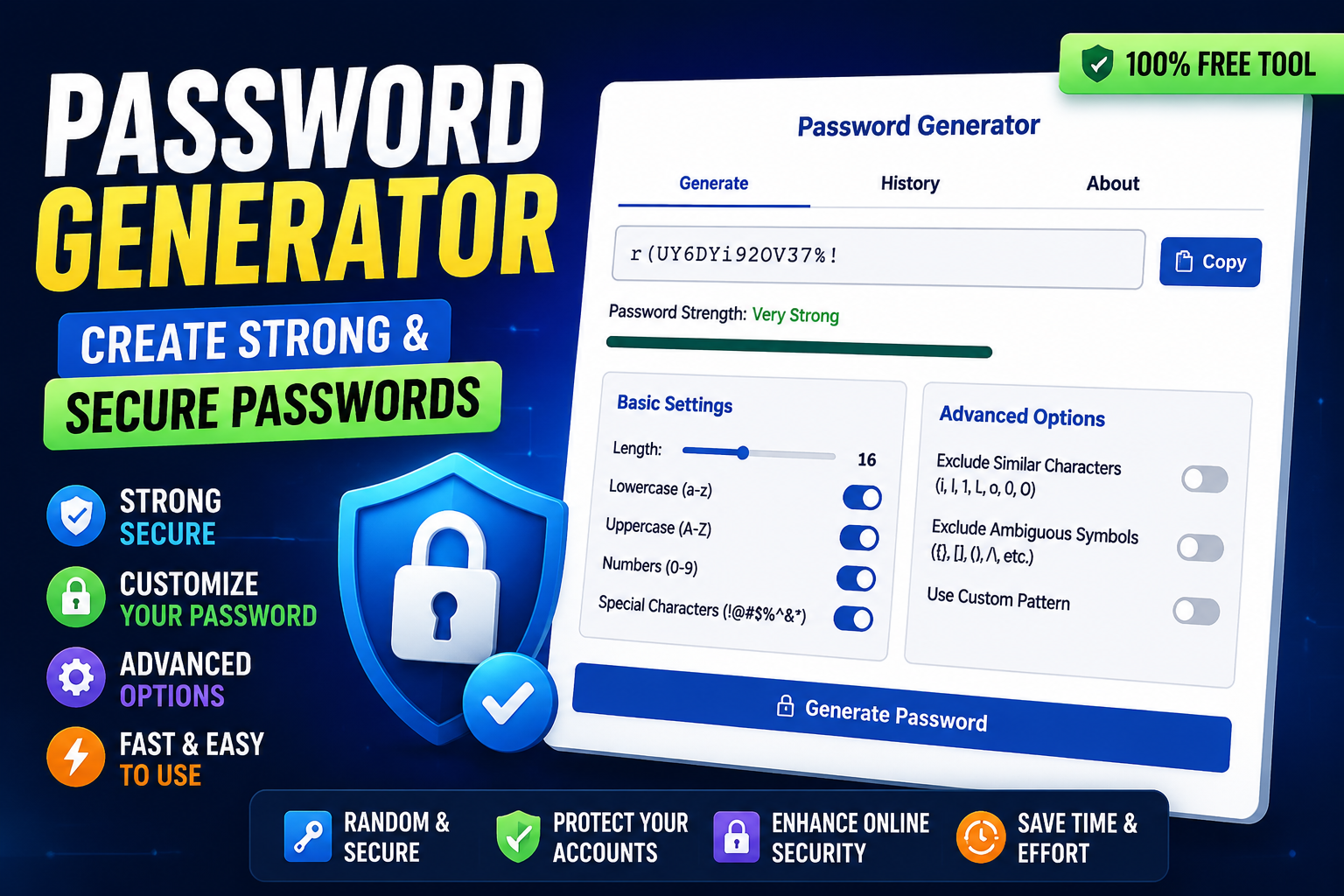
Password Generator: Create Strong & Secure Passwords
Table of Contents
- Introduction to Password Generators
- Why Strong Passwords Are Essential
- Risks of Weak Passwords
- Importance of Unique Passwords
- Key Features of a Password Generator
- Custom Length Selection
- Uppercase, Lowercase, Numbers & Symbols
- Excluding Similar or Ambiguous Characters
- Custom Pattern Options
- How to Use a Password Generator Effectively
- Step-by-Step Guide to Generate Secure Passwords
- Copying and Storing Passwords Safely
- Benefits of Using a Password Generator
- Enhances Online Security
- Saves Time and Effort
- Password Generator for Personal and Professional Use
- Managing Multiple Accounts
- Integration with Password Managers
- Tips for Creating Strong Passwords
- Combining Characters for Maximum Strength
- Avoiding Common Mistakes
- Conclusion: Why a Password Generator Is a Must-Have Tool
- FAQs
Introduction to Password Generators
In today’s digital world, your password is your first line of defense. Yet, so many people still use weak or repeated passwords. That’s where a Password Generator comes in handy. This tool creates strong, unique passwords for every account, giving you peace of mind and improving password safety.
A Password Generator uses a combination of uppercase, lowercase, numbers, and symbols to craft passwords that are nearly impossible to crack. Whether for personal accounts, business logins, or sensitive data, a strong password is non-negotiable. With this tool, creating secure passwords becomes quick and effortless.
Key Takeaways
- A Password Generator ensures unique, strong passwords for all accounts.
- It reduces the risk of hacking and identity theft.
- Provides customizable options including length, characters, and patterns.
- Works instantly without requiring any signup or personal information.
Why Strong Passwords Are Essential
Risks of Weak Passwords
Weak passwords are like leaving your front door unlocked. Hackers can guess simple passwords, and once they’re in, your personal or financial data can be compromised. Common mistakes include using “123456,” “password,” or birthdays—passwords that are easy to guess.
With a strong password creator, you eliminate these risks by automatically generating secure passwords that follow best practices.
Importance of Unique Passwords
Using the same password across multiple accounts is risky. If one account is breached, all accounts using that password are at risk. Unique passwords are critical, and a random password generator ensures no two passwords are the same, adding another layer of protection.
Key Features of a Password Generator
Custom Length Selection
Whether you want a short 8-character password or a more complex 128-character key, most password generators allow full control over length. Longer passwords are exponentially harder to crack.
Uppercase, Lowercase, Numbers & Symbols
Security depends on complexity. A secure password generator mixes uppercase letters, lowercase letters, numbers, and symbols to create robust combinations that thwart brute-force attacks.
Excluding Similar or Ambiguous Characters
Some tools allow you to exclude characters like “O” and “0” or “l” and “1” that look similar. This prevents confusion while maintaining strong security.
Custom Pattern Options
For specialized needs, you can generate passwords following a custom pattern, ensuring compatibility with sites that require specific formats while still staying secure.
How to Use a Password Generator Effectively
Step-by-Step Guide to Generate Secure Passwords
- Open the Password Generator tool.
- Select the desired password length.
- Choose character types (uppercase, lowercase, numbers, symbols).
- Optional: set custom patterns or exclude ambiguous characters.
- Click “Generate” to produce your new password instantly.
Copying and Storing Passwords Safely
Once generated, copy your password and store it in a password management tool. Avoid storing it in plain text files or sticky notes. Many password managers offer encrypted storage for quick access.
Benefits of Using a Password Generator
Enhances Online Security
A strong password significantly reduces the risk of account hacks. By using unique passwords for each account, you prevent attackers from gaining access to multiple accounts with a single breach.
Saves Time and Effort
Instead of thinking of passwords manually, the Password Generator creates them instantly. You save mental effort and ensure the password meets all security standards automatically.
Password Generator for Personal and Professional Use
Managing Multiple Accounts
Whether you have 10 personal accounts or 50 business accounts, a password generator helps you keep each login secure without repeating passwords.
Integration with Password Managers
Generated passwords can be directly stored in password management tools, allowing easy autofill while maintaining top-tier security.
Tips for Creating Strong Passwords
Combining Characters for Maximum Strength
Use a combination of letters, numbers, and symbols. Longer, complex passwords are stronger. A custom password tool can automate this perfectly.
Avoiding Common Mistakes
Avoid using predictable patterns, sequential numbers, or repeated words. Always generate passwords that are truly random for maximum security.
Conclusion: Why a Password Generator Is a Must-Have Tool
In an era where digital security is paramount, a Password Generator is not just a convenience—it’s a necessity. It creates strong, unique, and secure passwords in seconds, reduces the risk of hacking, and saves you time. Whether for personal use, professional accounts, or sensitive data, this tool ensures you stay one step ahead of cyber threats.
FAQs
Q: What is a Password Generator?
A: A tool that creates strong, unique passwords using letters, numbers, and symbols.
Q: Can I customize password length?
A: Yes, most generators allow lengths from 8 up to 128 characters.
Q: Does it include symbols and numbers?
A: Absolutely. You can include uppercase, lowercase, numbers, and symbols.
Q: Can I exclude confusing characters?
A: Yes, you can remove similar characters like “0” vs “O” for clarity.
Q: Is it safe to use online?
A: Yes, passwords are generated on your device; no personal data is stored.
Q: Can I generate multiple passwords at once?
A: Many tools allow batch generation for multiple accounts.
Q: Should I reuse passwords?
A: No. Each password should be unique for security.
Q: Can it work with password managers?
A: Yes, generated passwords can be saved in password management tools.
Q: Is it free to use?
A: Most online password generators are completely free.
Q: Can I use it for business accounts?
A: Yes, it’s perfect for securing multiple professional accounts.
Call to Action (CTA)
Protect your accounts instantly!
Click here to use the Password Generator now!