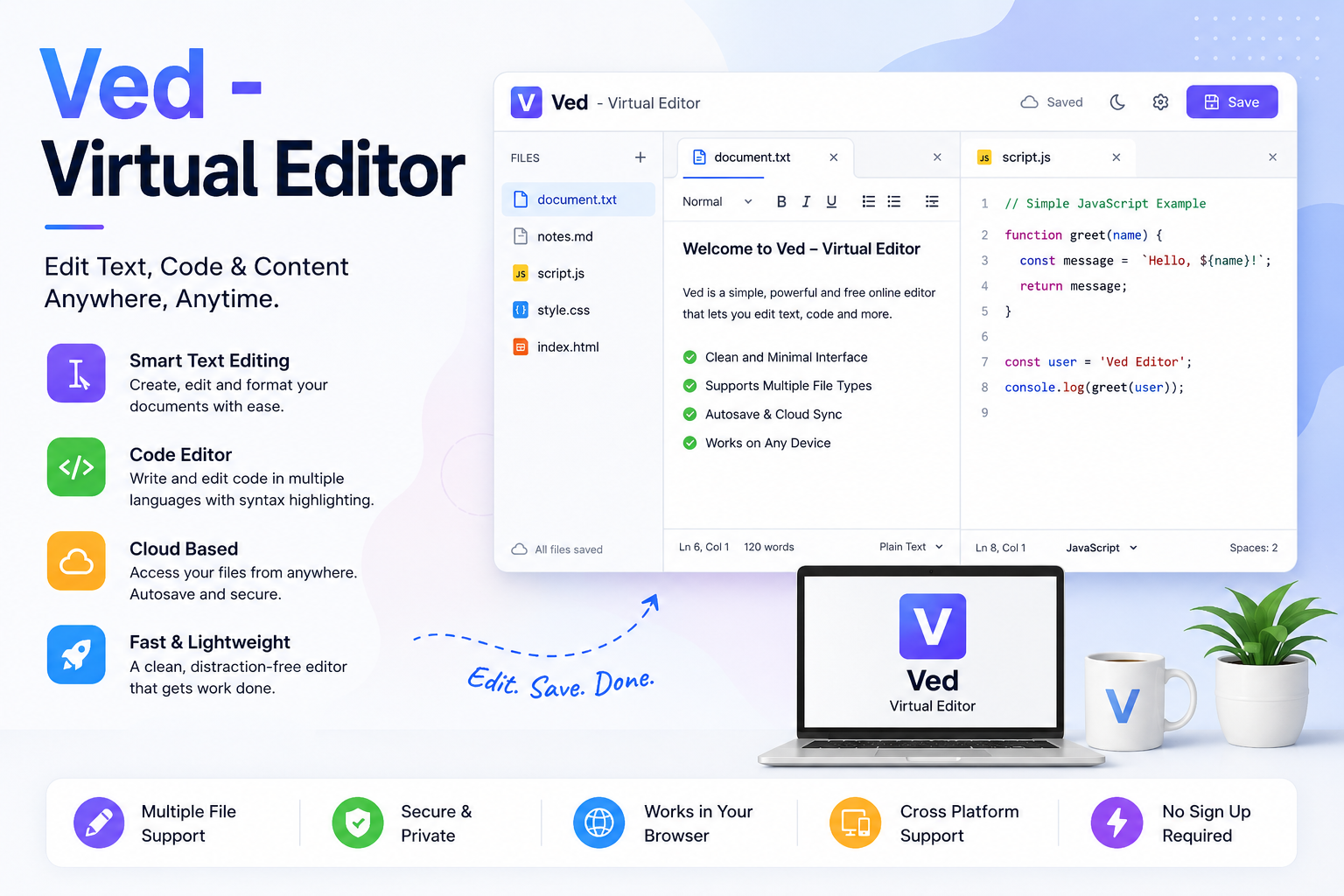
Ved – Free Virtual Text Editor for Writing and Editing Online
What is a free virtual text editor?
A free virtual text editor is an online tool that allows users to write, edit, and format text directly in their web browser. Unlike traditional word processors, virtual editors do not require installation and are often lightweight, accessible from any device with internet access.
Ved – Virtual Editor is a browser-based tool designed for writers, students, bloggers, and content creators who want a simple, fast, and functional environment for composing text.
It combines basic word processing capabilities with virtual editing features, including live formatting, auto-save, and export options.
Why virtual editors matter
For content creators, productivity is key. A virtual editor provides several advantages:
- Accessibility: Write and edit from any device without installing software
- Simplicity: Focus on content without distraction from heavy interfaces
- Speed: Quick load times and responsive interface
- Portability: Easily export or copy text into other platforms
Writers, students, and teams can use Ved to draft essays, blog posts, notes, and other text-heavy projects quickly and efficiently.
Key features of Ved – Virtual Editor
Live text formatting
Ved supports formatting features such as bold, italic, underline, bullet points, headings, and font customization. Changes are visible in real time, providing a WYSIWYG (What You See Is What You Get) experience.
Export options
Users can export text as plain text, HTML, or PDF files, making it simple to integrate content into blogs, websites, or reports.
Auto-save and session recovery
The editor automatically saves content in your browser, reducing the risk of losing work due to unexpected shutdowns or connectivity issues.
Virtual editing tools
Ved provides tools for checking grammar, spelling, and structure, helping writers improve readability and content quality without relying on additional software.
Lightweight interface
The tool is designed to load quickly and work on low-performance devices, making it suitable for students or users with limited resources.
Who should use Ved – Virtual Editor?
Ved is suitable for a broad audience:
- Students: Draft essays, assignments, and notes without installation
- Bloggers & Content Creators: Write blog posts or scripts with live formatting
- Remote Teams: Collaborate on text drafts or project notes in a portable way
- Writers & Journalists: Capture ideas and edit drafts quickly on any device
Its lightweight, browser-based design makes it ideal for situations where installing software isn’t feasible.
How to use Ved effectively
- Open the Ved editor in your browser: Ved – Virtual Editor
- Start typing your text in the main writing area
- Apply formatting using the toolbar (headings, bold, bullets)
- Use virtual editing tools to check spelling, grammar, and readability
- Export or copy content for use in blogs, documents, or online platforms
For best results, draft in small sections, use headings for structure, and save frequently if working on a long document.
Benefits of using a free virtual text editor
No installation required
You can access Ved from any modern browser on desktop, tablet, or mobile devices.
Fast and responsive
Lightweight coding ensures that the interface loads quickly and responds instantly to user input.
Cost-effective
It’s completely free, providing functionality similar to more complex word processors.
Portable and shareable
Content can easily be copied, exported, or shared with others for review.
Limitations
While Ved offers a simple and functional editing experience, it is not designed to replace full-featured desktop editors like Microsoft Word or Google Docs. Limitations include:
- No real-time collaborative editing with multiple users
- Limited advanced layout and graphics support
- Fewer template options for documents or reports
However, for drafting, editing, and exporting simple content quickly, Ved is highly effective.
Conclusion
Ved – Virtual Editor is a free virtual text editor that allows writers, students, and content creators to compose, edit, and format text directly in their browser. Its lightweight interface, live formatting, and export options make it a practical choice for anyone who needs a fast, portable, and functional text editor.
Start writing and editing immediately with Ved – Virtual Editor
Experience fast, browser-based text editing with Ved – Virtual Editor and create content from anywhere: Try Ved – Virtual Editor
FAQs
1. What is Ved – Virtual Editor?
Ans: Ved is a free browser-based text editor that lets users write, format, and edit content without installing software.
2. Do I need an account to use Ved?
Ans: No, Ved can be used directly in your browser without signup.
3. Can I export my text from Ved?
Ans: Yes, you can export text as plain text, HTML, or PDF.
4. Does Ved support formatting?
Ans: Yes, it supports headings, bold, italics, underline, bullet points, and more.
5. Is Ved suitable for students?
Ans: Yes, students can draft essays, assignments, and notes directly in their browser.
6. Can bloggers use Ved?
Ans: Yes, bloggers and content creators can draft posts or scripts with live formatting.
7. Does Ved have auto-save?
Ans: Yes, it automatically saves content in your browser session.
8. Can I check grammar in Ved?
Ans: Ved includes virtual editing tools for grammar, spelling, and readability checks.
9. Can I use Ved on mobile devices?
Ans: Yes, Ved works in modern browsers on tablets and smartphones.
10. Is Ved completely free?
Ans: Yes, Ved is free to use with no hidden costs.