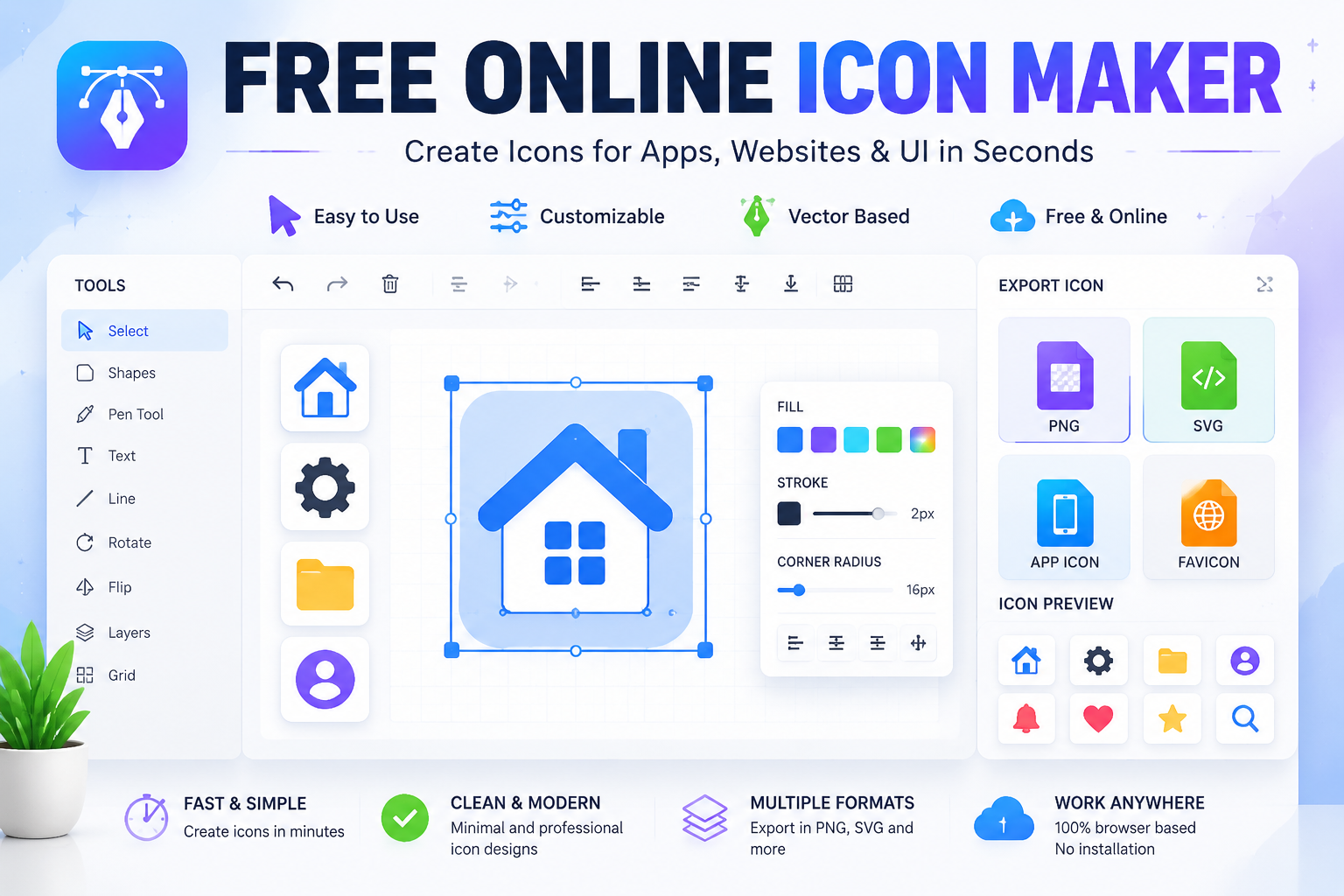
Free Online Icon Maker Tool for Fast and Simple Icon Design
What is a free online icon maker?
A free online icon maker lets you design simple app icons, UI symbols, and brand graphics directly in your browser without needing tools like Photoshop or Figma. These tools typically allow users to build icons using shapes, symbols, templates, or basic editing features.
The Icon Maker tool available at FreeWWW provides a lightweight way to generate icons directly in a web browser without installing design applications.
Instead of working with complex software like vector design suites, users can quickly produce usable icons for digital projects in a few steps.
Why icon design matters in digital products
Icons are small visual elements, but they play a major role in how users interact with digital interfaces. A well-designed icon can communicate meaning instantly without text.
In apps and websites, icons are used for:
- Navigation menus
- Action buttons (save, delete, edit)
- Status indicators
- Branding elements like favicons or logos
Because of their importance, designers often need quick and flexible tools to create or modify icons. A free online icon maker helps reduce time spent on repetitive design work while maintaining visual consistency.
What tools like Icon Maker are used for
While features may vary across platforms, browser-based icon makers generally support a set of core design needs:
App icon creation
Developers often need simple icons for mobile or web apps. Instead of hiring a designer for every iteration, they can create quick versions and test them in real environments.
UI and UX design
Designers working on interfaces use icons to represent actions and content. A fast icon generator helps prototype ideas more efficiently.
Favicon design
Small browser tab icons (favicons) require simple, readable shapes. Online icon tools are often used to generate these quickly.
Branding and prototypes
Startups and students use icon tools to create early-stage brand visuals or pitch designs without heavy software investment.
How a free online icon maker works
Most icon makers follow a simple workflow designed for speed and accessibility:
1. Choose a base shape or template
Users start with simple shapes or predefined icon styles.
2. Customize design elements
Basic editing options may include resizing, rotating, coloring, or layering shapes.
3. Adjust style consistency
Many tools help maintain consistent stroke width, spacing, and symmetry so icons look unified.
4. Export final icon
Icons are usually exported in formats like PNG or SVG for use in apps, websites, or design systems.
The goal is not to replace advanced design software but to simplify quick icon creation.
Benefits of using a browser-based icon maker
No installation required
Users can start designing immediately without downloading software.
Fast workflow
Ideal for rapid prototyping and early-stage product design.
Beginner-friendly interface
Most tools are designed for users without formal design training.
Lightweight and accessible
Works on most devices, including low-performance systems.
Useful for developers and non-designers
Even non-designers can create functional icons for projects.
Limitations to keep in mind
While free online icon makers are useful, they do have limitations:
- Limited advanced vector editing controls
- Fewer professional-grade customization options
- Basic template-based design flexibility
- Not suitable for highly detailed illustration work
For professional branding systems or complex visual identities, tools like vector design platforms may still be required. However, for quick icon creation and prototyping, browser-based tools are often sufficient.
Who should use Icon Maker tools?
A free online icon maker is useful for a wide range of users:
- Students learning UI/UX design
- Developers building apps or websites
- Startup teams creating prototypes
- Content creators designing digital assets
- Freelancers working on fast-turnaround projects
Its simplicity makes it especially valuable when speed is more important than advanced design precision.
Why lightweight design tools are growing in popularity
Modern digital workflows prioritize speed, iteration, and accessibility. Instead of spending hours on detailed design tasks, many creators prefer quick tools that help them test ideas faster.
Icon makers fit into this shift by offering:
- Rapid visual experimentation
- Easy collaboration across teams
- Reduced dependency on complex software
As more products move toward minimal and functional design systems, icon tools continue to grow in relevance.
Conclusion
A free online icon maker provides a practical solution for creating simple, functional icons without requiring advanced design skills or software. It supports fast workflows for app development, UI design, branding, and prototyping.
The Icon Maker tool from FreeWWW offers a browser-based approach that helps users quickly generate icons for digital projects.
For designers and developers who need speed and simplicity, tools like this can significantly streamline early-stage design work.
Start designing icons instantly using the FreeWWW Icon Maker and create clean UI graphics without any design experience.
FAQs
1. What is a free online icon maker?
A free online icon maker is a browser-based tool that allows users to create simple icons for apps, websites, and digital interfaces without installing design software.
2. Do I need design experience to use an icon maker?
No. Most icon makers are designed for beginners and use simple tools like shapes, colors, and templates to help users create icons easily.
3. Can I create app icons with online icon tools?
Yes. Many users create app icons, UI symbols, and interface graphics using online icon makers for both mobile and web applications.
4. What file formats can I export icons in?
Most tools support common formats like PNG and SVG, which are widely used in web and app development.
5. Are free icon maker tools good for professional design?
They are useful for prototyping and simple projects, but advanced branding work may require professional vector design software.
6. What is the difference between an icon maker and a logo maker?
An icon maker focuses on small UI symbols, while a logo maker is designed for brand identity and marketing visuals.
7. Can icon makers be used for UI/UX design?
Yes. UI/UX designers often use icon tools to quickly build interface elements and test layout ideas.
8. What is a favicon and can I create it with an icon maker?
A favicon is a small browser tab icon. Yes, icon makers are commonly used to design and export favicons.
9. Where can I learn more about UI design principles?
You can explore design fundamentals through the Interaction Design Foundation:
10. Are online icon makers free to use?
Many online icon makers offer free access with basic features, making them suitable for students, beginners, and small projects.