Photography involves far more than pressing the shutter button. Between calculating exposure settings, planning around natural light, managing thousands of image files, protecting your work, and running the business side of things, there's a long list of behind-the-scenes tasks that eat into your time. Some of those tasks call for powerful editing software, but many of them just need a quick, focused tool that does one thing well.
FreeWWW offers a growing collection of completely free, browser-based tools — no downloads, no accounts, no subscriptions. A good number of them are directly useful for photographers at every level, from hobbyists learning the fundamentals to working professionals managing client projects. In this post, we've gathered sixteen tools across six categories that deserve a spot in your bookmarks.
The Photography Tool Suite is a comprehensive set of twenty calculators built specifically for photographers, and it covers an impressive range of technical needs. You'll find a depth of field calculator, hyperfocal distance calculator, and field of view calculator for nailing focus and framing. There are dedicated tools for exposure, f-stop, shutter speed, ISO, and flash calculations — essentially everything you need to work through exposure decisions methodically rather than relying on trial and error.
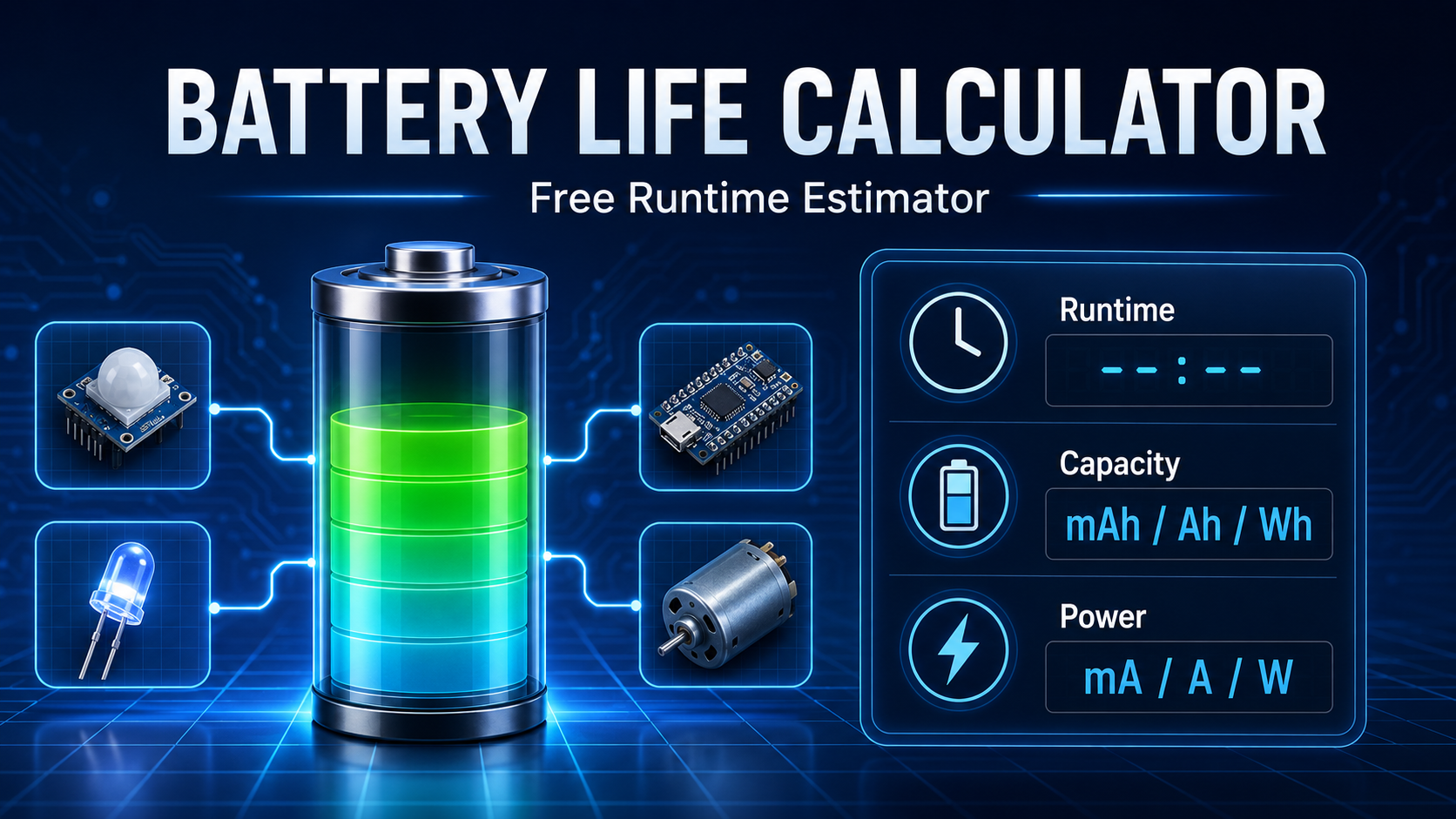
Beyond the core shooting math, the suite also includes practical tools like a crop factor and lens equivalent calculator for understanding how your sensor size affects focal length, a print size calculator for figuring out how large you can print at a given resolution, and an aspect ratio calculator for cropping decisions. On the planning side, it provides sunrise and sunset times, golden hour and blue hour windows, and moon phase information — all critical for landscape and outdoor photographers who need to be in the right place at the right time. Rounding things out are an equipment weight calculator for packing decisions, a battery life calculator so you're not caught short on a long shoot, and a memory card calculator to make sure you have enough storage for the day. It's a lot of capability in one place, and it's worth spending some time exploring everything it offers.
Natural light is the single most important variable for many types of photography, and planning around it can mean the difference between a spectacular shot and a missed opportunity. The Photography Tool Suite covers golden hour, blue hour, and sunrise and sunset times, but FreeWWW has additional tools that round out your ability to plan around conditions.
The Sunrise/Sunset Calculator provides precise sunrise and sunset times for any location, which is useful for scouting trips and scheduling outdoor shoots well in advance. For astrophotography and night sky work, the Astronomy Tools Suite helps you plan around celestial events and sky conditions — a must for anyone chasing the Milky Way, meteor showers, or star trail compositions.
The Air Quality Index Checker might seem like an unexpected addition, but air quality has a direct impact on outdoor photography. Haze, smoke, and particulate matter affect visibility, color saturation, and the overall mood of a scene. Checking the AQI before heading out for a landscape or architectural shoot helps you set realistic expectations for what the light and atmosphere will look like when you arrive.
Once the photos are taken, there's a whole workflow of preparing and optimizing files for different uses. FreeWWW has four tools that handle the most common image management tasks without requiring you to open a full editor.
The Image Format Converter & Resizer handles both format conversion and resizing in a single step — useful when you need to go from a high-resolution TIFF to a web-ready JPEG at specific dimensions, or when a client requests files in a particular format and size. When file size is the priority, the Image Compressor lets you optimize JPEG, PNG, and WebP images with adjustable quality controls and a visual comparison so you can see exactly how much quality you're giving up for a smaller file. This is especially valuable when uploading to websites or sending proofs via email where large files are impractical.
The Image Background Remover handles clean cutouts for product photography, headshots, or any situation where you need a subject isolated from its background quickly. And the Collage Maker provides a straightforward way to assemble multiple images into a single layout — handy for blog posts, social media, client proofing sheets, or before-and-after comparisons.
Two things that photographers deal with constantly are image metadata and protecting their work from unauthorized use. FreeWWW has a tool for each.
The Photo Metadata Viewer & Editor lets you view, edit, add, and strip EXIF and PNG metadata from your photos. On the learning side, reviewing metadata is one of the best ways to understand what settings produced a particular result — you can check the camera model, aperture, shutter speed, ISO, focal length, GPS coordinates, and more. On the privacy side, stripping metadata before sharing images online is an increasingly important habit, especially when photos contain GPS location data that you'd rather not make public. This tool handles both use cases in a simple interface.
The Image Watermark Tool lets you add custom text or logo watermarks to your photos. Whether you're sending proofs to a client, posting work on social media, or sharing images in an online portfolio, watermarking helps protect your work and maintain attribution. Being able to do this quickly in a browser, without importing images into an editor and manually placing watermarks, saves a meaningful amount of time — particularly when you're working with a large batch of images.
Color accuracy and consistency matter throughout the photographic process, from capture to editing to final output. FreeWWW's color tools are useful at several points in that chain. The Color Picker lets you sample colors from anywhere on your screen, which is helpful when you're trying to match a specific tone during editing or pulling colors from a reference image for a mood board.
The Color Code Converter translates colors between HEX, RGB, RGBA, HSL, HSLA, and HSV formats and includes a WCAG contrast checker — useful when your photography feeds into web design, branding, or any project where exact color codes are needed. And the Color Palette Generator creates harmonious color schemes, which can be valuable for planning styled shoots, building a consistent aesthetic for a portfolio, or developing branding materials for your photography business.
Photography as a profession means running a business, and FreeWWW has several tools that help with the administrative side of things. The Invoice, Receipt & Quote Generator lets you create professional invoices, receipts, and quotes with automatic calculations and PDF export. Whether you're billing for a wedding, a headshot session, or a commercial project, having a clean, professional invoice ready to send makes the transaction smoother and more credible.
The Freelancer Toolkit goes deeper with tools for calculating your rates, estimating project time, tracking expenses, managing clients, handling taxes, tracking profit, and managing deadlines — essentially the operational backbone of a freelance photography business. And the Business Card Maker lets you design and create business cards, which remain one of the most effective ways to leave a tangible impression after a networking event, a client meeting, or a chance encounter that could lead to your next booking.
That's sixteen free tools across six categories, covering everything from the technical calculations behind a well-exposed shot to the business essentials of running a photography practice. Whether you're planning a golden hour landscape shoot, compressing images for your website, watermarking proofs for a client, or sending out an invoice after a job, there's a tool here that can help.
Explore these tools and hundreds more at FreeWWW.com — all completely free, no account required.